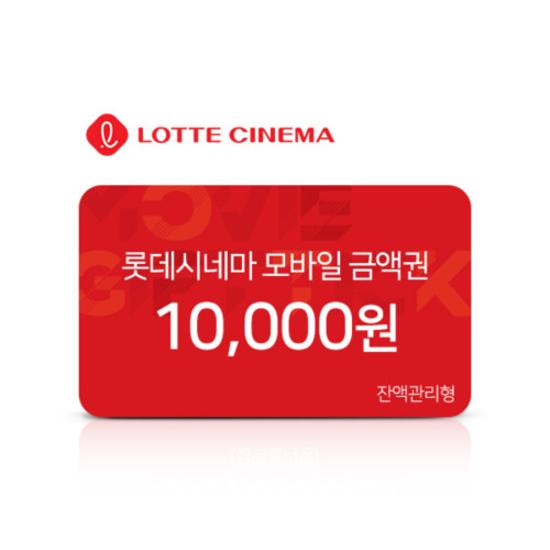
₩10,000 Gift Card

[Voucher Usage Guidelines]
- On-Site Booking:
Present the mobile voucher barcode at the box office to book and issue tickets.
Present the mobile voucher barcode at the ticket machine to book and issue tickets.
- Online Booking:
Available on the Lotte Cinema website and mobile app.
Select movie details (date, time, movie).
On the payment screen, select Voucher - Giftiel (Amount Voucher) - Enter coupon number - Complete payment.
※ The voucher can only be used for concession purchases at directly operated theaters. (Not available at partner theaters, approximately 50 locations).
※ The list of unavailable theaters is subject to change.
+ How to use multiple gift certificates at once
1. After entering the PIN number, click “Search” → “Apply Maximum” and check whether the amount has been applied.
2. Once the amount appears as applied, click the “Apply” button.
3. To enter the second PIN number, click “Giftiel (Amount Voucher)” again and repeat the same process.
4. After applying multiple vouchers, check the final payment amount.
[Important Notices]
- Remaining balance can be reused within the validity period.
- Can be used for 3D movies, special theaters, and special seating.
- Eligible for L.POINT accumulation and cash receipt issuance based on the amount used.
- The voucher must be used within the specified validity period (based on the screening date). Movies scheduled after the expiration date cannot be booked.
(Example: If the validity period is until November 30, 2023, movies screening on December 1, 2023, cannot be booked.)
[Refund Policy]
- Validity period and cancellation inquiries: Contact Wincube Marketing Customer Service (1666-5046).
- Full refunds are available within the initial validity period. If expired, 90% of the amount is refundable.
- For vouchers over 10,000 KRW, at least 60% must be used before a refund can be requested (for vouchers under 10,000 KRW, 80% must be used).
- Refunds can be requested within 5 years from the purchase date for any remaining balance.
- Usage status and balance refund inquiries: Contact Wincube Marketing Customer Service (1666-5046).
※ This policy applies to purchases made through sodagift.com and may not apply to purchases made through other channels.
[Validity Period Extension Policy]
1. The validity period may only be extended for unused vouchers. Extension requests must be made no later than one day before the voucher’s expiration date.
2. The validity period will be extended in increments of 93 days and may be extended for up to five years from the original date of issuance.
3. To request an extension, please contact WinCube Marketing Customer Service at 1666-5046. Customer service hours are from 9:00 a.m. to 6:00 p.m. on weekdays. The customer service center is closed on public holidays.
[Cancellation and Refund Policy]
1. Unused vouchers are eligible for a 100% refund within 93 days of the purchase date. The purchaser must submit an inquiry through the SodaGift chatbot located at the bottom-right corner of sodagift.com. A refund will be processed after the purchase details have been verified.
2. For unused vouchers that have exceeded 93 days from the purchase date, 90% of the purchase amount is refundable. To request a refund, the voucher recipient must contact WinCube Marketing Customer Service directly at 1666-5046.
3. Vouchers that have already been used cannot be canceled or refunded.
4. Even if a voucher has expired, a refund may be requested within five years of the original date of issuance.
5. If you received the gift card from a company rather than purchasing it directly through SodaGift, please contact the company that provided the gift card.